Thursday, February 27, 2014

Use Access Jet Engine to read excel files in C#

In a recent project I used the microsoft jet engine to parse out a Excel spreadsheet in code.  When trying to run this code I  got the error


In order to do this I had to install the 32 bit Access Connectivity Engine from Microsoft.  The key is that you will need the 2010 32 bit install.  The 64 bit will not work.

ACE (Access Connectivity Engine)

Jet Vs Ace

Wednesday, December 11, 2013

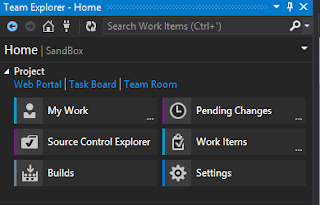
Visual Studio Online - Free TFS Server


I have always been a fan of TFS.  It keeps your team connected.  Linking your task management, builds and source control is very powerful.
Any of these features individually may not be that significant but together it can be very powerful.

Tracking what task is associated with a code check in and for what build makes it easy to figure out what is going on in your development project.


Now with visual studio online, I can leverage many of the TFS features for project for free.  And it hooks into my visual studio and looks just like I have my own TFS server.


Of course if you want to pay more, it can handle larger projects to.  For more users its only $10 per month. Much cheaper for most projects than hardware and a TFS license.

To start using TFS online 
1. go to visual studio online and register
     http://www.visualstudio.com/en-us/products/visual-studio-online-Overview-vs

2. open visual studio 2013
3. click on team from the top menu
4. connect to team foundation server
5. click select team projects
6. click on the servers button
7. click on add
8. enter in the URL of my visual studio online account I setup.

Now I have most of the power of TFS for free
1. Task management
2. Source control
3. TFS Build for continuous integration
4. And I did not have to spend a bunch of time configuring a server and software.

It appears id does not include the reporting features, but I don't use those as much anyways.

I have use TFS Build for CI pretty extensively in the past.  I am excited to get a project running and see how it works online.

Wednesday, November 27, 2013

Visual Studio 2012 comparison - F8 next difference keyboard shortcut

When comparing differences between 2 files in visual studio 2008 F8 will navigate to the next difference.

Windows Powershell Get-Content for monitoring log files similar to unix Tail

Windows Powershell Get-Content

Issue
For many developers testing or debugging often requires monitoring log files.
Closing and opening notepad gets tedious.
Soon, you have a bunch of notepads and you are note even sure what one is the current.

Power Shell to the rescue

1. Open windows powershell

2. enter this command
get-content logfile.log -Wait

3. You are now tailing your log file.


Tuesday, November 26, 2013

Grant Execute to all stored procs in a database

This script gives execute rights to all stored procs for the [USERNAME].  It uses a cursor, but it works well

DECLARE procs CURSOR FOR SELECT [name]
                         FROM sys.objects
                         WHERE type IN('p','AF','FN')
DECLARE @name AS VARCHAR(250)
DECLARE @stmt AS VARCHAR(1000)

OPEN procs

FETCH NEXT FROM procs INTO @name

WHILE @@FETCH_STATUS=0
BEGIN
    SET @stmt='GRANT EXECUTE ON '+@name+' TO [USERNAME]'
  
    EXEC(@stmt)
  
    PRINT @stmt
  
    FETCH NEXT FROM procs INTO @name
END

CLOSE procs

DEALLOCATE procs

Wednesday, November 20, 2013

Visual Studio 2012 TFS offline

Coding with TFS integration into your solution with a unreliable connection can be frustrating.

Frustration- Waiting for TFS timeout is a production Killer
  1. Start editing a file
  2. Visual studio tries to check out the file from TFS 
  3. You wait for the connection to timeout

Solution - Take Your Solution Offline
You can take your solution offline from source control.  Out of the box the only way for visual studio to go offline is to

  1. Close and re-open the solution.  
  2. hoping TFS is unavailable.  
To the rescue is a visual studio plugin that will let you go offline any time you wish.


Happy Coding!

Tuesday, October 15, 2013

Great blog post - maintaining software


This blog post was great.  It talked about maintaining existing software.

A favorite past time of most developers is to call your fellow geek over and have them check out some really smelly piece of code.  I am sure it even happens to my code from time to time, hopefully not to often.